
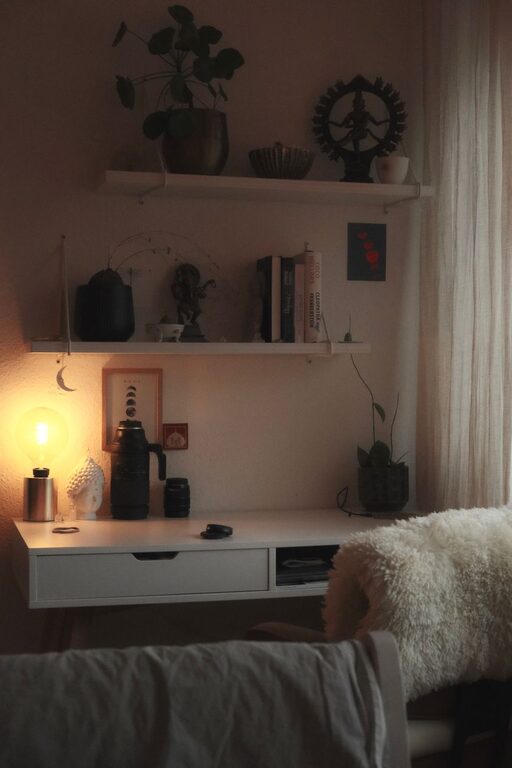
Creating a comfortable and productive home workspace has become a priority for many as remote work and freelancing grow in popularity. A well-designed setup can improve focus, reduce stress, and help maintain a better work-life balance. Here are some practical tips to help you create a relaxing yet efficient workspace right at home.
1. Choose the Right Location
Picking the right spot for your home office is essential. Ideally, select a quiet area with minimal distractions, such as a spare room, a corner in your living room, or a nook by a window.
– Consider natural light: Working near a window provides natural light, which can boost mood and energy.
– Avoid high-traffic areas: To maintain focus, choose a space away from noisy parts of the home like kitchens or main hallways.
2. Invest in Comfortable and Ergonomic Furniture
Comfort and ergonomics play a huge role in your productivity and long-term health.
– Desk: Choose a desk that fits your space and offers enough room for your computer, paperwork, and other essential tools.
– Chair: A good office chair with proper lumbar support encourages better posture and prevents back pain. Adjustable height and armrests are pluses.
– Alternate positions: Consider a sit-stand desk or using a balance board to change positions throughout the day.
3. Keep it Organized and Clutter-Free
A tidy workspace helps keep your mind clear and focused. Here’s how to stay organized:
– Use storage solutions: Shelves, filing cabinets, baskets, or drawer organizers keep papers and supplies in order.
– Limit items on your desk: Keep only the essentials within reach. This reduces distractions and increases efficiency.
– Cable management: Use clips, ties, or sleeves to keep cords neat and avoid tangling.
4. Personalize Your Space Without Overdoing It
Adding personal touches makes your workspace inviting and uplifting, but balance is key.
– Decor: Frame a few favorite photos, add a small plant, or hang inspirational artwork to create a positive atmosphere.
– Colors: Soft, calming colors like blues, greens, or neutrals are ideal. Bright colors can be used as accents to energize the space.
– Lighting: Combine natural light with adjustable task lighting to reduce eye strain.
5. Create a Routine and Set Boundaries
Your workspace should support not just physical comfort but your work habits too.
– Set work hours: Clearly define when you start and stop working to avoid burnout.
– Use signals: Closing the door, using headphones, or setting a “Do not disturb” sign can signal to others that you’re focused.
– Breaks: Step away from your desk regularly to stretch, hydrate, and refresh your mind.
6. Incorporate Technology Thoughtfully
Technology can either enhance or hinder your productivity.
– Reliable devices: Invest in a good computer, printer, and high-speed internet connection.
– Software: Use apps that help with time management, note-taking, and project tracking.
– Reduce distractions: Turn off unnecessary notifications and use website blockers if needed to stay on task.
7. Maintain Good Air Quality and Temperature
Physical comfort affects concentration and well-being.
– Ventilation: Open windows or use an air purifier to keep the air fresh.
– Temperature control: Ensure your workspace is neither too hot nor too cold for prolonged comfort.
– Plants: Certain indoor plants can improve air quality and add a calming, natural element.
8. Stay Motivated and Inspired
A workspace that encourages positivity supports productive work habits.
– Vision board: Display your goals and motivational quotes.
– Music: Light background music or white noise might help some people focus.
– Celebrate successes: Keep reminders of your achievements to maintain motivation.
—
Creating a home workspace that balances relaxation and productivity is a personal journey. Experiment with these tips and adapt the environment until it best supports the way you work and feel. With the right setup, you’ll find your home office becoming a place where you can thrive professionally without compromising your well-being.